Pulseri

We price by the number of People you track, not by the number of answers you collect. A good survey program should not get more expensive when it works.
This post explains the choice, what it means for your bill and where it is not the best deal. We print no prices here. The pricing page is always current.
How most survey tools charge
Many form and survey tools tie the plan to responses. Typeform's pricing page lists how many responses per month each plan includes, and says the limits reset every month. 1 SurveyMonkey's page shows response limits on its team plans, counted across all surveys and users, and says you are charged for each additional response on those plans. 2
This is fair: the vendor's costs rise with usage and a response is easy to count. The side effect: the better your survey works, the more it costs.
The problem with paying per answer
Send a survey to 1,000 customers and a good question gets a high reply rate. Your bill rises. So you ask fewer people, or ask less often. Three things go wrong when each answer has a price.
- You start to ration. Worry about the allowance makes you less likely to ask the quiet customer once more.
- Cost is hard to predict. You control how many people you ask, not how many reply. A great campaign can surprise your finance team.
- The wrong thing is measured. A response count rewards volume. You want the right people, asked at the right moment, and a way to act on the answer.
What we count instead
We count People. A Person is a customer or an employee who can receive and answer your surveys. You add them with a few facts about them, such as plan, team or country. Pulseri decides who to ask and when. More customers means more People. More surveys on the same People change nothing.
In practice:
- A bigger list moves you to a bigger plan. Plans step up in People. The numbers are on the pricing page.
- Team members are not counted. The colleagues who use Pulseri are not part of the number.
- Answers are not counted. If one hundred more people reply, nothing changes.
- One list for customers and employees. A pulse survey for your own team uses the same list as a customer survey.
What is still counted: survey sends
Sending surveys costs money, and sending far too many by email risks deliverability. So each plan includes a monthly allowance of survey sends. A survey sent by email and a survey shown in your app each count as one send, from the same pool. Extra sends are billed per thousand. The pricing page shows each plan's allowance and how extra sends work.
This counts surveys you send, not answers you receive. It rises when you decide to ask more often, not when a survey succeeds.
A worked example, with made-up numbers
Brightleaf is a small software company with 800 customers. The team wants an NPS survey every quarter, a CSAT survey after each solved support ticket, and a short yearly survey for its 30 employees.
By response. If every survey does well, the answer count rises every round. In January the team cannot say what the year will cost. A good quarter is a more expensive quarter.
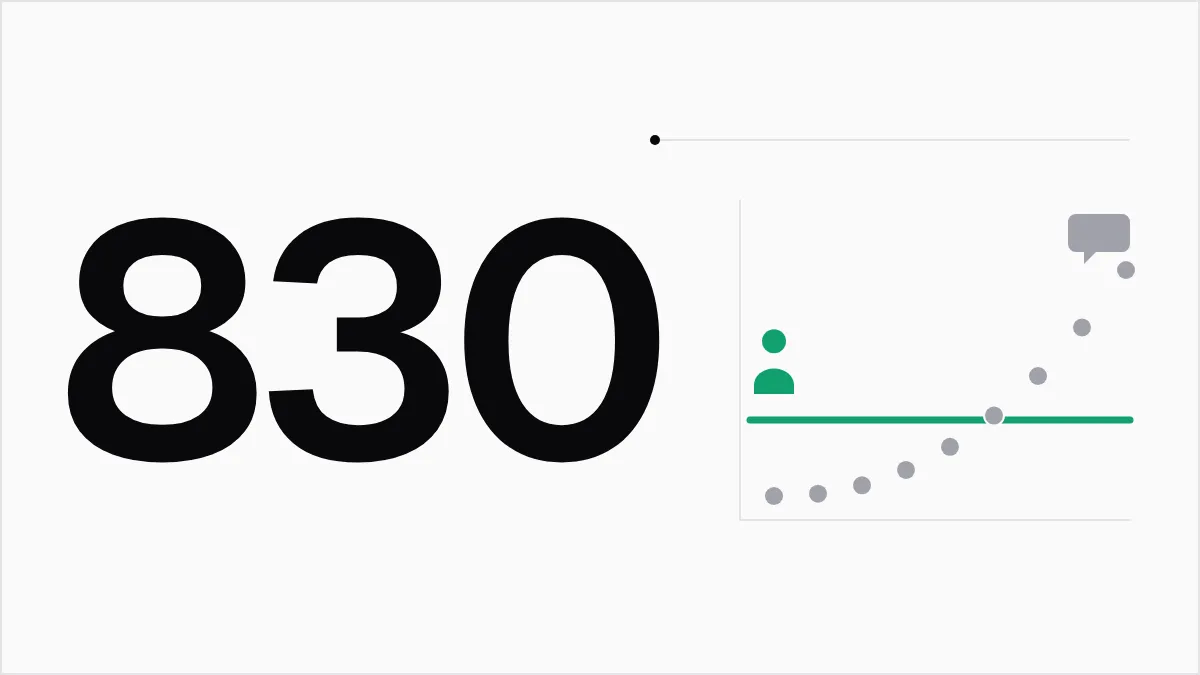
By People. Brightleaf has about 830 People: 800 customers and 30 employees. That number is known in January. It changes when the customer list changes, which the team already tracks. Survey rounds, replies and alerts do not move it. The team does watch the surveys it sends each month. It stays inside the allowance if it asks each customer a few times a year.
The second way is easier to plan. It is also easier to explain to a finance lead.
Now flip it. Say Brightleaf had 80,000 newsletter readers and wanted one short poll a year. By People, the plan would need to be large. By response, a tool might cost less, since only a fraction will reply. Then we would tell you to look elsewhere.
What happens at the limit
At your People limit, Pulseri stops you adding more. It does not switch off anything you have, and it deletes no people or surveys. A tool that goes dark when you cross a line leaves you stuck at a bad time. We avoid that. You can raise the limit by changing plan or, on Business, adding a pack of People. Enterprise is set up with you directly, so its card says "Let's talk".
Who this is good for
Pricing by People works well when:
- You ask the same customers several times a year, with NPS, CSAT and a few event-based surveys.
- You want to ask your whole customer list at some point.
- You also want an employee pulse, in one tool.
- You want a bill you can predict before the month starts.
It works less well when:
- You have a very large audience and send one or two surveys. A per-response tool may cost less.
- You collect feedback from anonymous visitors you cannot list, such as people on a public web page. A form tool fits better.
- You need one survey and nothing more. A free form is fine, as our post on forms, spreadsheets or a feedback tool explains.
How the plans are named
You can start on your own with Starter, Growth or Business. Enterprise is for larger teams that need a contract and a conversation. The People limit for each plan is in the comparison table. Prices exclude VAT.
You start with a 14-day trial. The pricing page explains what the trial includes and how billing works.
What we hope you take from this
A feedback program should be easy to grow. The useful questions are who to ask and what to do with the answer. Pricing by People lets you spend your time on those.
To see how this compares with specific tools, read the comparison with form and survey tools. For the numbers, go to pricing.
Sources
- Typeform pricing (retrieved 15 Oct 2026) Back to text
- SurveyMonkey pricing (retrieved 15 Oct 2026) Back to text